How to Create Cinematic Videos with Alight Motion
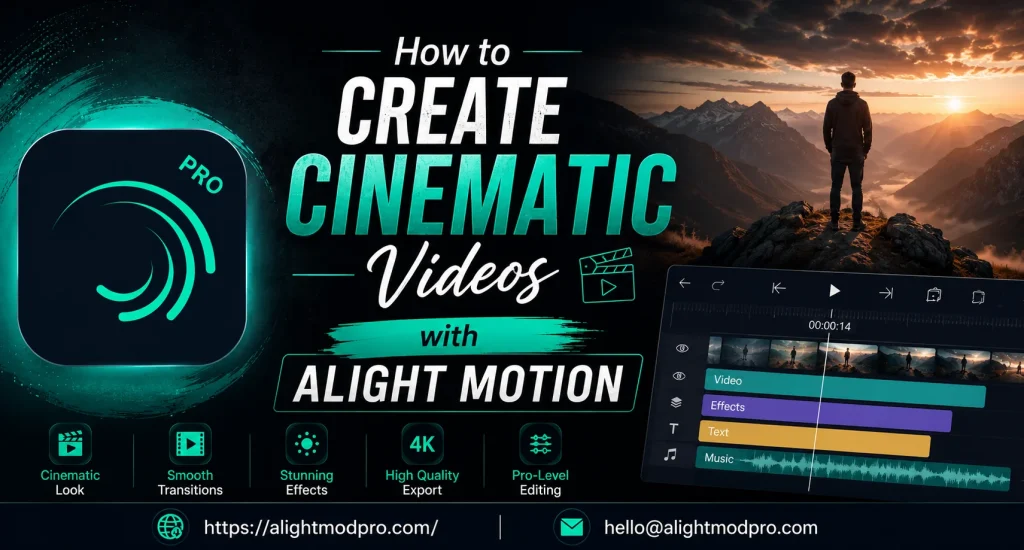
Creating cinematic videos with Alight Motion is easier than you might think. With the right techniques and understanding, you can transform ordinary footage into something that looks like it belongs on the big screen. This guide will teach you everything you need to know about creating cinematic videos on your mobile device.
Cinematic videos are characterized by their visual style, mood, and professional production quality. They tell stories through careful composition, color, lighting, and movement. Alight Motion provides all the tools you need to achieve this professional look.
Understanding Cinematic Style
Cinematic style refers to the visual language used in films and professional videos. It includes elements like color grading, composition, lighting, and camera movement. Understanding these elements is the first step to creating cinematic content.
Cinematic videos tell stories and evoke emotions through visuals. They have a distinct look that separates them from amateur content. Alight Motion offers features that help you achieve this professional aesthetic.
Use the Right Resolution and Frame Rate
Cinematic videos typically use 24fps frame rate, which is the standard for films. This creates the traditional motion blur and feel associated with cinema. 24fps gives your videos that authentic movie-like quality.
Use 1080p or 4K resolution for crisp, detailed footage. Higher resolution allows for cropping and reframing in post-production. Professional editors always shoot and edit at the highest quality possible.
Master Color Grading
Color grading is the process of adjusting colors to create a specific mood or style. Cinematic videos often use teal-orange color palettes or desaturated looks. Alight Motion’s color tools allow you to achieve these professional grades.
Start with basic color correction to fix exposure and white balance. Then apply creative grades to establish the mood of your video. Save your grades as presets for consistent results across projects.
Use the 3D Camera Features
Alight Motion offers 3D camera tools that add cinematic depth to your videos. You can pan, zoom, and create depth of field effects. These camera movements make your content look more professional.
Animate the camera position for smooth, cinematic movements. Use focus blur to create shallow depth of field effects. These techniques are commonly used in professional filmmaking.
Add Depth with Shadows and Lighting
Lighting is crucial for cinematic videos, even in post-production. Use shadows to create depth and dimension in your scenes. Proper lighting techniques make your footage look more three-dimensional.
Add drop shadows to text and graphics for separation from the background. Use gradient overlays to simulate cinematic lighting. These techniques add production value to your videos.
Create Cinematic Transitions
Professional transitions elevate your video’s production quality. Use cross dissolves, wipes, and slide transitions for smooth scene changes. Avoid flashy transitions that look amateurish.
Match your transition style to the mood of your content. Slow, soft transitions work well for emotional content. Fast, dynamic transitions suit energetic videos.
Use the Cinematic Aspect Ratio
The standard cinematic aspect ratio is 2.35:1 or 2.39:1 (letterbox format). This creates the widescreen look associated with films. Adding black bars to your video instantly makes it look more cinematic.
Add a letterbox overlay to your project in Alight Motion. This gives your video that signature movie look. The black bars also help with composition and framing.
Add Film Grain for Texture
Film grain adds a subtle texture that makes digital footage look more organic. It softens the digital sharpness and creates a film-like feel. Cinematic videos often include grain for authenticity.
Apply the grain effect with low intensity for best results. Too much grain can look distracting and amateurish. A subtle grain effect adds character to your footage.
Create Depth with Blur Effects
Depth of field is a key cinematic technique where the subject is sharp and the background is blurry. This draws attention to your subject and creates visual interest. Use blur effects to achieve this look.
Apply blur to background elements or use focus blur effects. Animate the blur for dramatic focus pulls. This technique is used extensively in professional filmmaking.
Use Slow Motion Effectively
Slow motion adds drama and emphasis to important moments. It draws attention to actions and emotions. Use slow motion sparingly for maximum impact.
Enable motion blur when using slow motion for smooth results. Slow motion is most effective for emotional or action-packed moments. Proper use of slow motion elevates your content quality.
Add Cinematic Text and Titles
Cinematic text should be clean, elegant, and well-animated. Use bold, simple fonts with proper spacing and positioning. Subtle text animations look more professional than flashy ones.
Animate text with smooth fades and gentle movements. Keep text on screen long enough to read but not too long. Professional titles enhance the cinematic feel of your video.
Use Color Grading LUTs
LUTs (Look-Up Tables) are preset color grades that create specific looks. Alight Motion allows you to apply LUTs to your footage. This saves time and ensures professional color grading.
Download cinematic LUTs from the Alight Motion community. Apply them to your footage and adjust intensity as needed. LUTs are a quick way to achieve cinematic colors.
Add Cinematic Lighting Effects
Light leaks and lens flares add cinematic atmosphere to your videos. They create a warm, organic feel and simulate real camera lenses. These effects are commonly used in professional films.
Apply light leaks subtly for best results. Lens flares should enhance, not distract from, your content. These effects add a professional touch to your videos.
Use High-Quality Audio
Cinematic videos require high-quality audio to match the visuals. Poor audio can ruin even the most beautiful footage. Use crisp, clear audio with proper levels.
Add ambient sound effects for immersive atmosphere. Sync your visuals with the audio for powerful storytelling. Audio is half of the cinematic experience.
Master Camera Movements
Smooth camera movements add production value to your videos. Use keyframes to create pan, tilt, and zoom animations. These movements make your videos feel more dynamic and professional.
Animate the position and scale of your clips for camera-like motion. Use easing curves for smooth, organic movements. Camera movements are essential for cinematic videos.
Create Visual Storytelling
Cinematic videos tell stories through visuals, not just words. Every shot should serve the story you are telling. Think about composition, color, and movement as storytelling tools.
Use establishing shots, close-ups, and action shots for variety. Plan your shots to build narrative flow. Visual storytelling is the essence of cinematic content.
Use The Rule of Thirds
The rule of thirds is a fundamental composition technique in filmmaking. Divide your frame into nine equal sections with two horizontal and two vertical lines. Place important elements along these lines or at their intersections.
Alight Motion includes guides to help with composition. Use these guides when positioning your text and graphics. Good composition is essential for cinematic quality.
Add Atmospheric Elements
Atmospheric elements like fog, dust, and particles add depth to your scenes. They create a sense of space and mood. Alight Motion offers particle effects for this purpose.
Apply particle effects subtly for atmospheric depth. Use them to create magical, dreamy, or dramatic atmospheres. Atmospheric elements enhance the cinematic feel.
Export with High Settings
Cinematic videos require high-quality export settings. Use 4K resolution with high bitrate for the best results. Export settings affect the final quality of your video.
Use H.264 or H.265 codec with variable bitrate. Check your export on different screens for quality consistency. Proper export settings preserve your cinematic quality.
Practice and Experiment
Cinematic video creation is a skill that improves with practice. Experiment with different techniques and styles. Review your work critically and learn from each project.
Study professional films to understand their techniques. Apply what you learn to your own projects. Continuous practice is the path to cinematic mastery.
Frequently Asked Questions
Conclusion
Creating cinematic videos with Alight Motion is achievable with the right techniques and practice. Start with the basics like proper resolution, frame rate, and color grading. Gradually incorporate more advanced techniques like depth of field and camera movements.
Study professional films and apply their techniques to your content. Experiment with different styles and approaches to find your unique cinematic voice. With dedication and practice, you can create professional-quality cinematic videos on your mobile device.