Top 25 Features of Alight Motion You Should Know
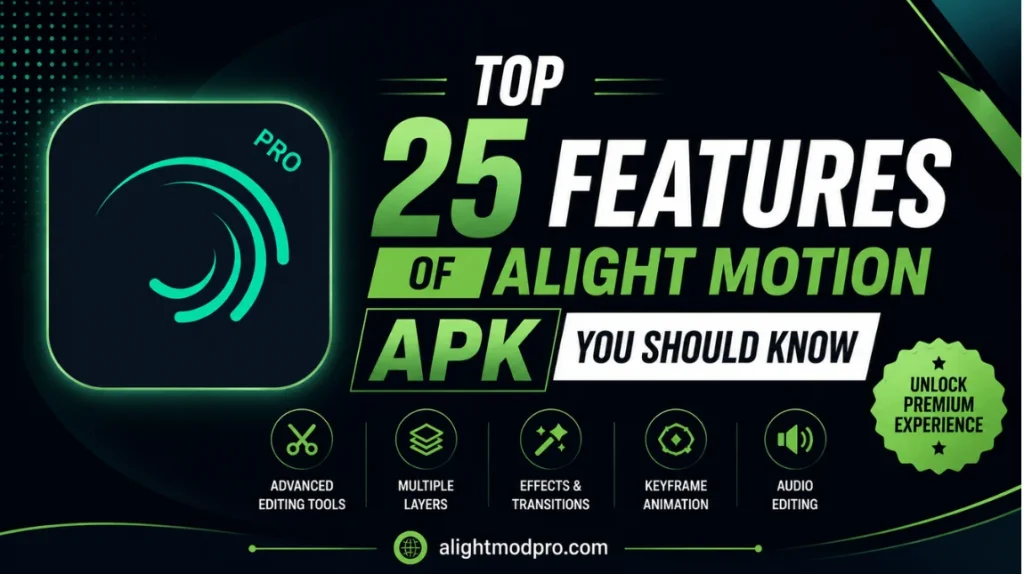
Alight Motion has established itself as a trailblazer in mobile motion design, offering capabilities that were once exclusive to expensive desktop software. It brings professional-quality animation, motion graphics, visual effects, video editing, and compositing tools directly to your pocket. Whether you are a complete beginner or an experienced motion designer, this app provides a surprisingly comprehensive toolkit.
What makes Alight Motion truly stand out is its ability to balance professional-grade features with an accessible mobile interface. With over 160 basic effect building blocks, vector and bitmap support, and a robust keyframe animation system, it competes directly with desktop applications. This article explores the top 25 features that make Alight Motion an indispensable tool for creators around the world.
1. Multi-Layer Workflow
At its core, Alight Motion operates on a layer-based system, allowing you to add multiple layers of graphics, video, and audio to your project. This is the bedrock of any complex composition, enabling you to separate elements for individual editing and apply effects selectively. Users can tweak multiple layers of graphics simultaneously to achieve a polished final product. The layer system also supports powerful blending modes to create stunning composite images.
2. Vector Graphics Support
One of the most significant differentiators of Alight Motion is its support for vector graphics. While most mobile editing apps force you to deal with pixelated images, Alight Motion allows you to import and edit vector graphics right on your phone. This means you can scale, rotate, and transform elements infinitely without losing any quality. Vector graphics are essential for creating crisp logos, icons, and illustrations that look sharp on any screen.
3. Over 160+ Basic Effect Building Blocks
The app provides a library of over 160 basic effect building blocks that can be combined and customized to create sophisticated visual effects. These aren’t just simple filters; they are foundational elements like Tiles, Fade In/Out, Blurs, and Glows that can be stacked to create unique looks. This modular approach to effects gives creators almost unlimited creative freedom. By combining different building blocks, you can achieve complex visual styles with ease.
4. Keyframe Animation
Keyframe animation is the engine of motion design, and Alight Motion offers it for nearly all settings and properties. This feature allows you to set specific values for properties like position, opacity, and scale at specific points in time. The app automatically interpolates the movement between keyframes, creating smooth animations. This provides the precision needed for complex animations, from simple slide-ins to intricate character movements.
5. Custom Easing Curves
The difference between amateur and professional animation often lies in the easing. Alight Motion allows you to pick from preset easing options or build your own custom timing curves using a graph editor. This enables advanced techniques like the “overshoot,” where an element goes slightly past its final position before settling back. Custom easing curves allow you to add personality and weight to your animations, making them feel more organic.
6. Parent and Child Layering
For advanced animators, the ability to link parent and child layers is crucial for character animation and rigging joints. This feature allows you to create hierarchical relationships between layers, so moving a parent layer automatically moves its children. This simplifies the process of animating complex characters or creating mechanical linkages. The hierarchical system saves time and ensures consistent movement across connected elements.
7. 3D Cameras with Focus and Fog
Alight Motion simulates a 3D environment with cameras that can pan, zoom, and even support focus blur and fog effects. This moves beyond simple 2D animations, allowing you to create scenes with depth and realistic camera movements. The focus blur effect mimics real-world camera lenses, creating depth-of-field effects. The fog effect adds atmospheric depth, making your scenes feel more immersive and cinematic.
8. Grouping and Masking
Grouping layers together is a powerful organizational tool that also enables complex animations. By grouping layers, you can apply effects or transformations to an entire set of elements at once, saving time and maintaining consistency. Masking goes a step further, allowing you to use one layer to reveal or hide parts of another. This technique is essential for text reveals, creative transitions, and complex compositing.
9. Velocity-Based Motion Blur
To add a cinematic quality to fast-moving objects, Alight Motion includes velocity-based motion blur. Rather than a static blur effect, this feature calculates blur based on the speed of the movement. Fast-moving objects will have more blur, while slow-moving objects will remain sharp. This subtle touch makes a significant difference in the perceived quality of your animation.
10. Comprehensive Color Adjustment
The app offers robust color adjustment tools to fine-tune hue, saturation, brightness, and contrast on individual layers. Beyond simple corrections, this enables sophisticated color grading techniques to set the mood of your video. You can create warm and nostalgic tones or cool and modern cinematic looks. Color grading is a crucial step in video production, and Alight Motion provides the tools needed for professional results.
11. Advanced Text Animation
Alight Motion excels in typography with custom font support and advanced animation capabilities. Users can animate text in creative ways, such as revealing characters one by one with staggered timing. You can also use masks for dynamic entrances or apply effects to individual letters. This makes the app a favorite for creating professional titles, lyric videos, and animated quotes.
12. Professional Export Options
The app understands that creators need flexibility when exporting their work. Alight Motion allows you to export projects as MP4 videos, GIF animations, PNG sequences, and still images. This variety ensures that your content can be optimized for any platform. You can also adjust export settings like resolution, frame rate, and bitrate to balance quality and file size.
13. 4K and 60fps Video Support
Alight Motion supports editing videos in 4K resolution at 60 frames per second. This is a desktop-class feature that ensures your final exports are sharp and smooth. High frame rate support allows for professional-grade slow-motion effects that are highly popular on social media. Whether you are creating content for TikTok or YouTube, 4K and 60fps support ensures your work looks its best.
14. Project Sharing and Collaboration
Creators are not isolated in their workflow. Alight Motion allows users to share entire project packages with others, including all layers, effects, and settings. This is invaluable for collaboration, allowing teammates to share assets and templates. Project sharing also enables creators to sell or distribute their work as templates. The collaborative features make Alight Motion suitable for team environments.
15. Blend Modes
Blending modes like Screen, Add, Multiply, and Overlay are essential for compositing and creating unique visual effects. Alight Motion provides a robust set of blend modes that determine how layers interact with each other. This is crucial for creating light leaks, lens flares, and realistic visual effects integration. By experimenting with different blend modes, you can achieve creative and unique looks.
16. Effects on Borders and Shadows
While many apps allow you to add effects to the fill of a layer, Alight Motion gives you control over borders, shadows, and strokes themselves. This granular control allows for unique aesthetic choices, like applying a gradient to a shadow. You can adjust thickness, color, opacity, and blur of borders and shadows independently. This gives you complete creative freedom over the appearance of your layers.
17. Bookmarks for Easy Editing
Managing a complex timeline with hundreds of layers can be overwhelming. The bookmark feature allows you to mark specific points on the timeline for easy navigation. This is a time-saver when you need to return to a specific keyframe or section repeatedly. Bookmarks help you stay organized and efficient, especially when working on long projects.
18. Copy and Paste Styles
Alight Motion features a “Copy and Paste Style” function that allows you to quickly duplicate the look of one layer onto another. This is incredibly efficient for maintaining consistency across multiple text layers or graphic elements. You don’t have to recreate settings from scratch every time. This feature saves significant time and ensures visual consistency throughout your project.
19. Save Favorite Elements
Creativity often relies on reusing successful elements. Alight Motion allows you to save your favorite elements for easy reuse in future projects. Whether it is a custom shape, a styled text layer, or a complex effect combination, you can keep it in your personal library. This streamlines your workflow and allows you to build a library of go-to assets.
20. Shape Layer Editing
Alight Motion includes robust shape editing features that allow you to manipulate vector shapes directly within the app. You can edit the geometry of shapes after they are drawn, allowing for precise adjustments. The shape tools include options for creating complex polygons, stars, and custom bezier paths. This makes it possible to create original illustrations entirely within the app.
21. Performance Optimization Tools
Recognizing the strain that heavy effects can put on mobile devices, Alight Motion includes specific performance features. Users can turn off the visibility of specific layers to improve preview speed. You can also enable low-quality preview to reduce lag during editing. These optimization tools ensure that even complex projects remain manageable on mobile hardware.
22. Fill Effects: Colors and Gradients
Alight Motion provides robust solid color and gradient fill effects for all layers. This goes beyond simple color selection, allowing you to create complex, multi-color gradients. You can adjust gradient direction, angle, and color stops to achieve exactly the look you want. The gradient tool is perfect for creating modern, vibrant designs that stand out.
23. The Tiles Effect
A specific but powerful tool is the Tiles effect, which repeats the layer in a tile pattern to fill the screen. This feature includes properties for cropping, offset, and mirroring, making it ideal for creating patterns and backgrounds. The Tiles effect can be used for everything from brick patterns to dynamic visual effects. It is a creative tool that adds versatility to your projects.
24. Fade In/Out Automation
While basic, the Fade In/Out effect is a convenient time-saver. It automatically animates layer opacity at the beginning and end of a layer clip. Unlike manual keyframing, these fade times remain consistent even when trimming the layer. This makes it perfect for quick, clean cross-dissolve transitions between scenes.
25. Wide Range of Video Ratios
Social media platforms demand different aspect ratios, and Alight Motion has you covered. The app offers a wide range of video ratios for various platforms. You can create vertical content for Stories and Reels, horizontal content for YouTube, or custom sizes for specific needs. This ensures your content is optimized for every platform without starting from scratch.
Bonus: Audio Editing and Synchronization
Beyond visual features, Alight Motion also includes audio editing capabilities. You can import audio tracks, trim them, and adjust volume levels. The audio waveform display helps you align keyframes with specific beats. This ensures perfect synchronization between visuals and sound for music videos and promotional content.
Frequently Asked Questions (FAQs)
Conclusion
Alight Motion has successfully democratized motion design by packing a desktop-level feature set into a mobile application. From multi-layer editing and vector support to professional tools like custom easing curves and 4K export, it offers creators an incredibly powerful toolkit. While some advanced features may require a subscription, the core functionality available for free is more than enough to produce stunning animations. Whether you are creating a simple social media post or a complex motion graphic project, Alight Motion empowers you to bring your creative vision to life. With regular updates and an active community, the app continues to evolve and improve. For anyone serious about motion graphics on the go, Alight Motion is an essential tool that delivers professional results without expensive hardware.